Introducing a more capable opsi
Purchasing, reconciliation, bill pay, team files, Ask opsi, and more everyday work handled for you.
The opsi Teamopsi journal

Today we’re releasing the biggest step forward in opsi’s history, and a change in what restaurant software should even promise.
Most back-of-house tools are a very expensive clipboard: they hold whatever you have time to type into them. Opsi now takes care of more of that work for you. It reads, matches, calculates, and files, then brings you the decisions that deserve your attention.
What’s new
Purchasing. Set par levels once, and one click compares them to what’s actually on hand, dropping a draft purchase order per vendor with the quantities already computed. Order templates, scheduled standing orders, receiving (full or partial), and a three-way match of ordered vs. received vs. billed round out the loop.
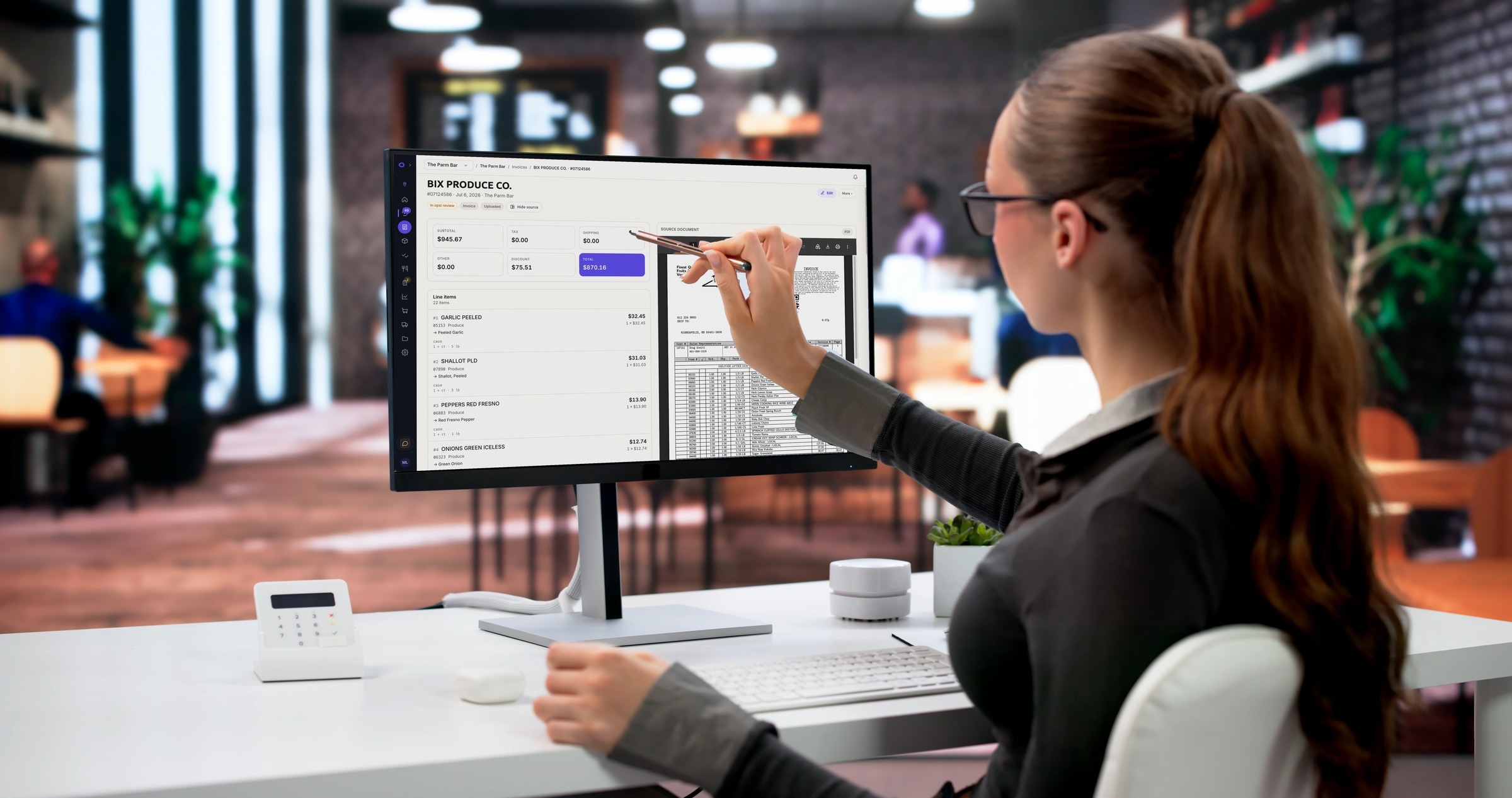
Reconciliation. Upload a vendor’s monthly statement and opsi extracts every line and matches it against your invoices automatically, surfacing the charges you were billed for but never received, with a dispute button right on the line.
Bill Pay. Approve and pay enrolled vendors from inside opsi, with payment runs and statuses that sync back on their own. The invoice, its PO, its statement line and its payment: one thread.
Team Files. A shared library for SOPs, training docs and contracts, scoped by organization, concept or location, and attachable to the recipes, items and tasks they document. The fryer-cleaning SOP now lives on the fryer-cleaning task.
Ask opsi. Helpful answers built into every screen. Ask how to run a count and it cites the exact help article. Ask what’s below par and it reads your live data, respecting exactly what your role allows you to see. When you want a person, real opsi support joins the same conversation.
Work that takes care of itself
Every invoice line is compared with your catalog. Every correction you make is remembered. Review cards appear when something needs you, and clear when it no longer does. Duplicate items are caught, and forecasts stay current with tomorrow’s weather.
And one principle governs all of it: opsi refuses to guess. When category signals disagree, a human decides. When a period is missing a clean count, actual-vs-theoretical says “unavailable” rather than projecting. Partial data is labeled Partial. We think trust is the feature.
For everyone already with us
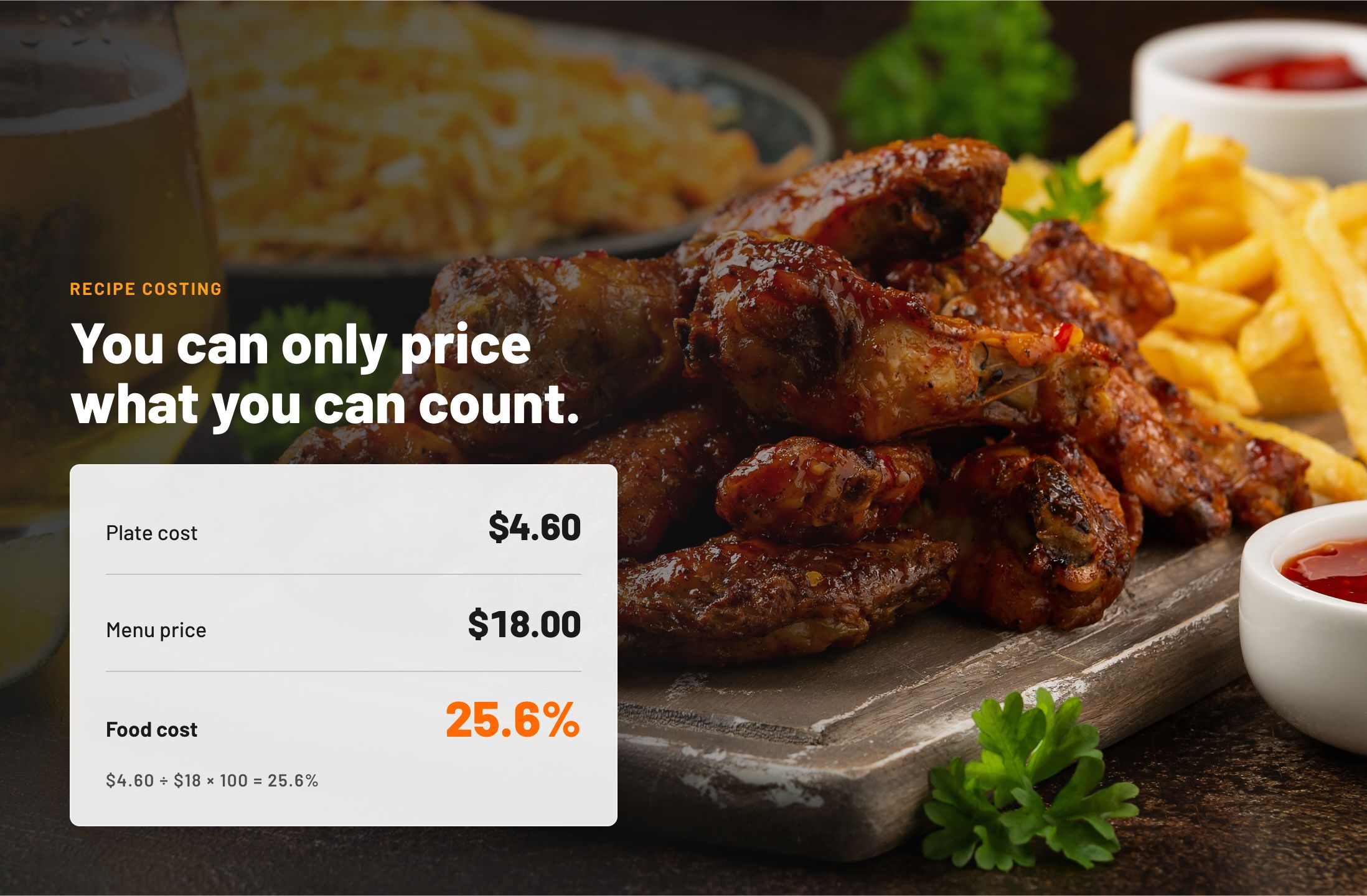
Everything you rely on got better too: recipe imports from photos and PDFs, multi-user count sessions with barcode scanning and offline drafts, live plate costs traced to the invoice that set them, a real restaurant P&L, and menu engineering powered by your POS sales.
These improvements are rolling out to all customers now. If you’re new here, book a demo and bring a real invoice. See how much less there is to do.
Take it back to the kitchen
See how opsi fits your restaurant.
Explore the workflows that matter to your team in a guided demo. We’ll use a prepared workspace, so no documents or advance setup are required.